Martian Colors
I was browsing the NASA web site for photos from the Mars rovers, but most of them are black and white. Then I noticed they have the raw images posted that can be combined into color photos, so I combined a bunch of them into "living color." You can get at those photos from the main Mars page.The color is not perfect on these, but it should be close. There are a lot of variables. The cameras are calibrated differently from time to time, there are different bandwidths available in different images, and the sun is at different angles.
In these photos, 3 to 6 images were taken, one after another, using different bandwidth filters. There may be 5 minutes pass from the first to the last image, so a shadow may move a little bit during that time. An interesting effect of this is an occasional rainbow strip on the edge of shadows.
Sometimes, a photo from the nearly same time and viewpoint will turn out with substantially different colors from another. I guess this must be camera settings, either automatic or manually controlled.
The image file names include information such as camera type, time taken, location, etc. Here is the full info:
http://origin.mars5.jpl.nasa.gov/gallery/edr_filename_key.html
The image on this site have the filter and sometimes the Left or Right designator removed. If L or R is missing, then they were taken with the Left camera, which uses visible light filters.
These images were taken with the panoramic camera, because it's the one that uses color filters. The filters used vary from image to image. The available filters are:
| Left Camera | Right Camera |
| 1 = EMPTY (clear) | 1 = 436nm (37nm Short-pass) |
| 2 = 753nm (20nm bandpass) | 2 = 754nm (20nm bandpass) |
| 3 = 673nm (16nm bandpass) | 3 = 803nm (20nm bandpass) |
| 4 = 601nm (17nm bandpass) | 4 = 864nm (17nm bandpass) |
| 5 = 535nm (20nm bandpass) | 5 = 904nm (26nm bandpass) |
| 6 = 482nm (25nm bandpass) | 6 = 934nm (25nm bandpass) |
| 7 = 432nm (32nm Short-pass) | 7 = 1009nm (38nm Long-pass) |
| 8 = 440nm (20) Solar ND 5.0 | 8 = 880nm (20) Solar ND 5.0 |
Some bandwidths of visible light are:
| red | 650 |
| orange | 590 |
| yellow | 570 |
| green | 510 |
| blue | 475 |
| indigo | 445 |
| violet | 400 |
Everything gets kind of fuzzy from this point on. The visible light bandwidths are not even sharply delimited. The bandwidths in the Martian cameras don't necessarily match the color bandwidths on Earthling computers. In a lot of the images some of the bandwidths are missing. For example, this image:

only uses filters 4, 5, and 7, which more or less correspond to reddish-orange, yellow-green, and violet. There is a hole or two in the spectrum, notably red and blue, so it ends up looking pretty weird. But it's still better than black and white.
Some of the images from Mars use filters 2, 5, and 7, or some wide range like that. This provides more information for scientific analysis, but it doesn't look normal when combined. That is, if there is a "normal" for pictures from Mars. I skipped most of these.
Even if the 5 visible color bands of the same image are available, this accounts for only about half of the full visible color spectrum, with a "hole" between each filter. If a particular image happens to have a large intensity change in one of those holes, the resulting image color image not be accurate.
The right pan camera filters are mainly longer wavelength in the ultraviolet range. I only included one of those pictures, mostly because I wondered what it would look like:
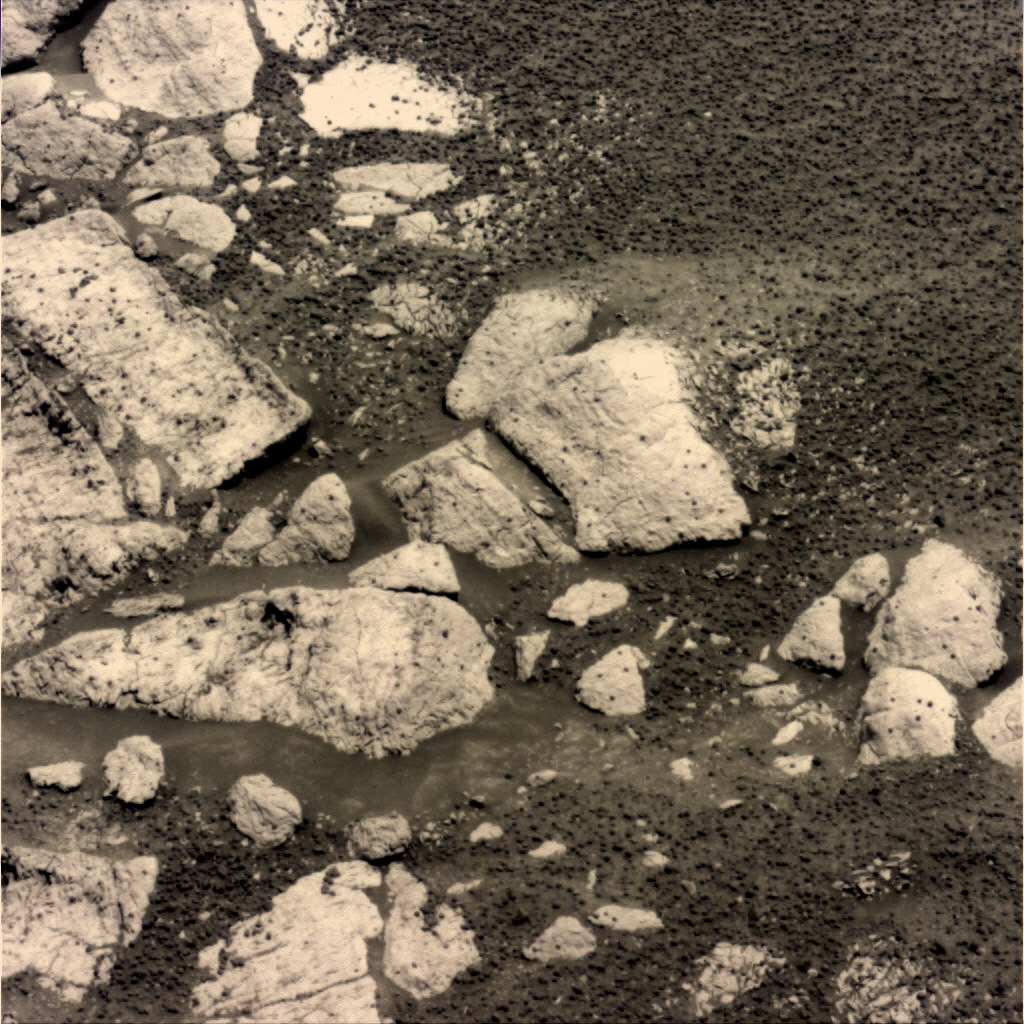
I used Photo Mud to merge the separate images. In fact, I wrote the Merge Color Separation function in Photo Mud so I could do this. You can download Photomud here, free:
http://upperspace.com/photomud
Here's where to get the latest raw images from Mars:
http://origin.mars5.jpl.nasa.gov/gallery/all
Some of the NASA pictures show mainly red on Mars, such as this panorama:

But the colors in the corners of this sundial in the base of the photo from looks quite a bit different on earth than on the landscape photo.
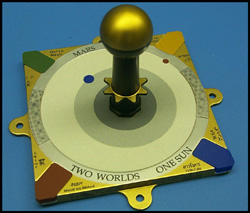
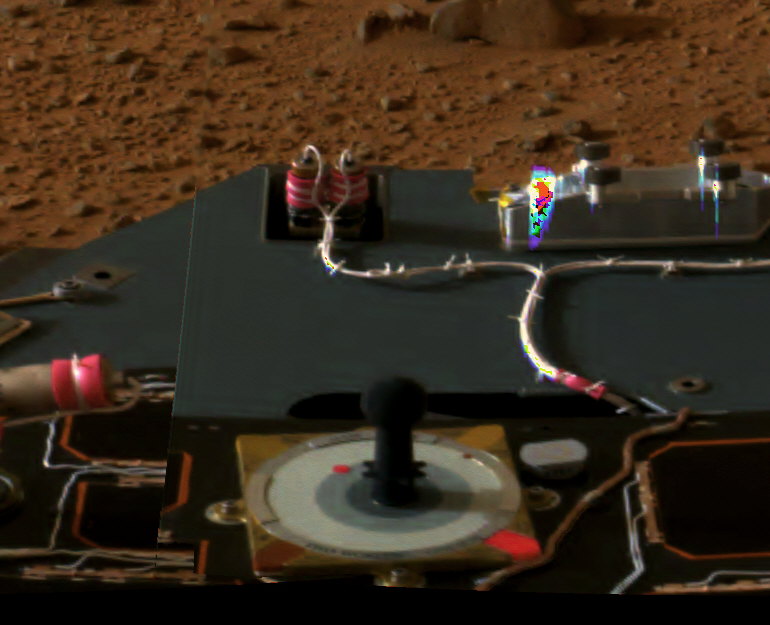 NASA used filter 2, infrared light, in their red color composition. In this image with filter 2, you can see how bright
the lower right color tab is:
NASA used filter 2, infrared light, in their red color composition. In this image with filter 2, you can see how bright
the lower right color tab is: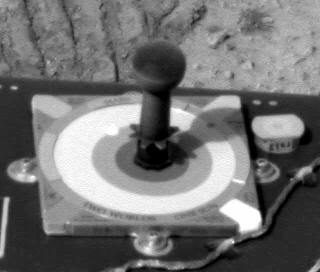
This one is filter 3, is visible red. The blue tab in the lower right is not nearly as bright:
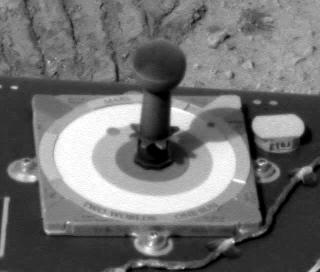
Here is a composition I did using infrared as red, and shifting the colors toward that end of the spectrum. This is kind of like the sundial in the color landscape.
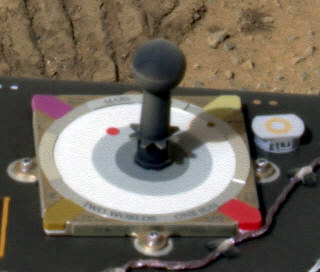
Here's the image with "normal color" composition:
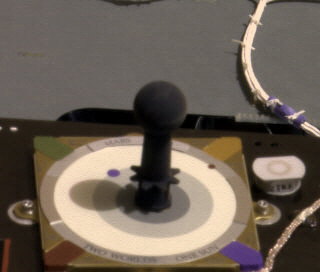
The second one looks a lot closer to the original photo above.
Why would NASA put out photos where the colors are not accurate? There are good reasons for this.
1. The panorama in this example was made up of several photos from the Rover. Most of these photos were not taken with the full number of visible color filters. For example, infrared was used instead of red, and images were not acquired with the red filter most of the time. Why? Because there is limited time, power, and bandwidth available on Mars. To get the most benefit from their limited resources, they return fewer images of more things.
2. Analytical work can be done on images outside the visible light spectrum, so if there is a choice, it may be better to acquire a broader spectrum and omit a few of the visible color bands.
3. A 3-band false-color image can portray more information to our brains faster than three black and white images, even if the colors are not "correct" or natural. It's better to provide false-color images than only black and white.
I read that NASA will be putting out a color atlas of the Rover photos in a few months. That should be pretty good. I think it's great that they area allowing public access to their raw images as soon as they're downloaded, even if they haven't done color processing yet. They primary work on the Mars Rover projects at the moment is data acquisition. When the rovers die they'll have time to study the data, make good color images, and lots of et cetera.
I also read where some idiots suspect NASA of altering the Mars color images for some paranoid reason or another. This is stupid. Besides having no incentive to do that, NASA is making the raw images available online for the world to see and work with.
Here are the numbers I used to do the conversions. (I changed them all on May 16, 2004.)
| Red | Green | Blue | Weight | |
| Filter 3 | 210 | 0 | 0 | 0.5 |
| Filter 4 | 255 | 149 | 0 | 0.6 |
| Filter 5 | 106 | 255 | 0 | 0.96 |
| Filter 6 | 0 | 50 | 204 | 1.0 |
| Filter 7 | 87 | 30 | 142 | 1.0 |